
Instagram Automation: How to Automate Content & Marketing

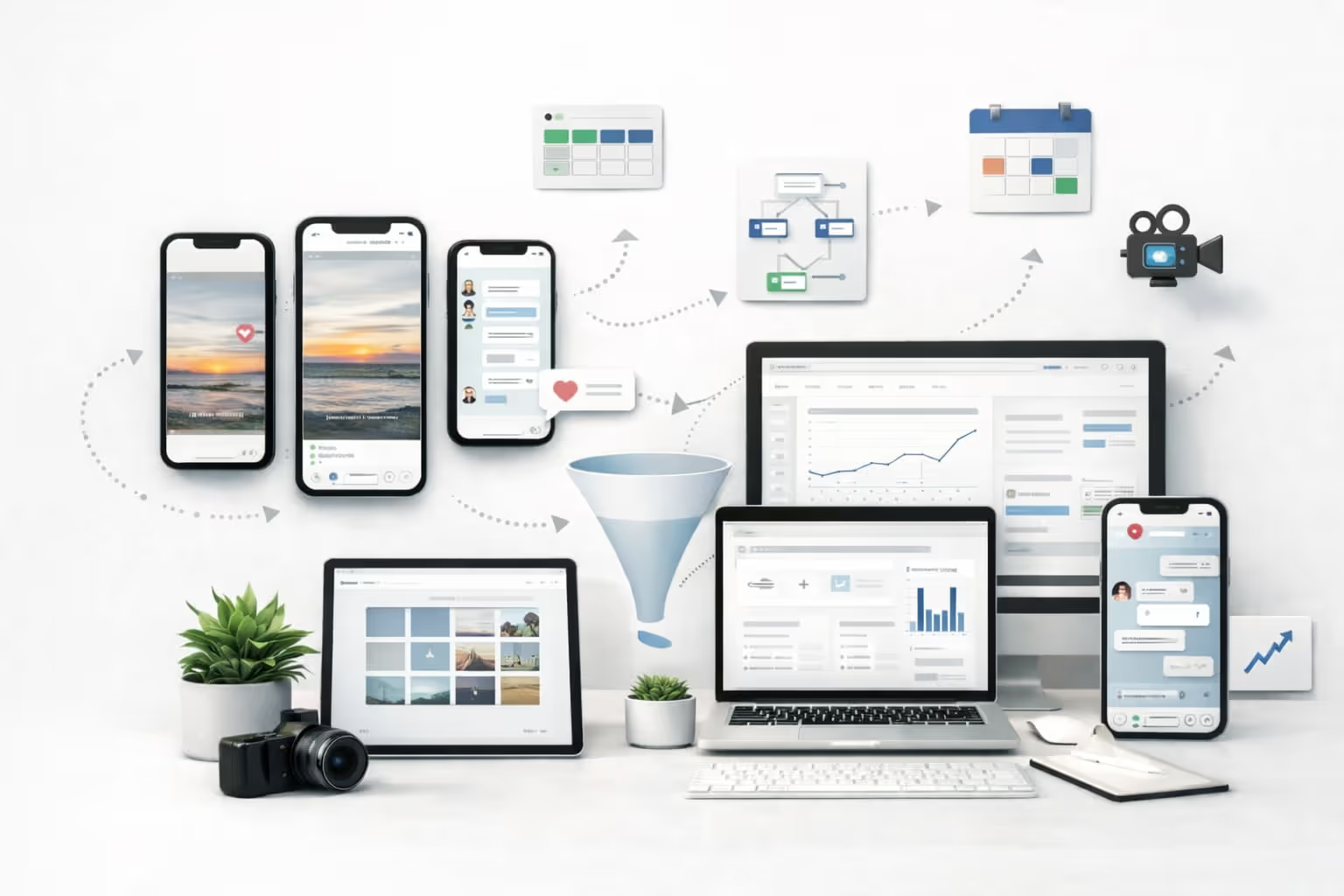
Instagram Automation: How to Automate Content + Social Media Marketing
In 2026's social media landscape, managing Instagram effectively means producing content at unprecedented velocity while maintaining authentic connections with your audience.
Instagram automation isn't about replacing human creativity—it's about creating systems that amplify your team's impact while preserving the genuine interactions that build brand loyalty.
This guide teaches you how to build an Instagram automation system that handles repetitive tasks, scales content creation, and improves marketing outcomes without sacrificing authenticity or violating platform rules.
Think of automation as your operational backbone: a content pipeline that flows seamlessly into publishing, engagement, and measurement.
What Is Instagram Automation?
Instagram automation refers to using tools and workflows to handle repetitive Instagram tasks—from content scheduling and analytics reporting to inbox management and engagement tracking.
Understanding the distinction between different types of automation is crucial for implementing a strategy that enhances rather than undermines your social presence.
Backend automation handles the operational elements users never see: scheduling posts, generating reports, organizing content calendars, and analyzing performance metrics.
These tools operate behind the scenes to improve efficiency without directly affecting user interactions. User-facing automation, on the other hand, touches your audience directly through automated DMs, comment responses, and engagement actions.
Backend Automation vs User-Facing Automation
Backend automation focuses on internal processes that streamline your workflow. This includes content scheduling, analytics dashboards, hashtag research, and team collaboration tools. These automations save time without risking audience trust because they don't interact directly with followers.
User-facing automation requires more careful consideration. While automated welcome messages or keyword-triggered DMs can improve response times, poorly executed engagement automation can damage brand reputation.
The key is maintaining human oversight and ensuring automated interactions feel personal and valuable.
What "Safe Automation" Means in 2026
Safe automation in 2026 means respecting both platform guidelines and audience expectations. Instagram's algorithms now sophisticated enough to detect and penalize spammy automation tactics, while users have become increasingly adept at recognizing bot-like behavior.
Safe automation prioritizes quality over quantity, uses approved tools that work within Instagram's API limitations, and always maintains a human element for critical touchpoints.
Why Instagram Automation Matters for Content + Social Media Marketing
Modern social media marketing demands more than occasional posting. Brands must maintain presence across multiple formats—Reels, Stories, Carousels, and traditional posts—while responding to comments, managing DMs, and tracking performance metrics.
Manual management of these tasks becomes unsustainable as audience expectations for quick responses and consistent content continue to rise.
Speed, Consistency, and Scale Across Formats
Automation enables brands to maintain consistent posting schedules across all Instagram formats without overwhelming their teams. A well-designed automation system can repurpose a single piece of content into multiple formats, ensuring your message reaches audiences regardless of their preferred consumption method. This consistency builds brand recognition and keeps you top-of-mind with followers.
The speed advantage extends beyond posting. Automated workflows can instantly route customer inquiries to appropriate team members, trigger follow-up sequences based on user actions, and alert you to trending topics or viral moments you can leverage.
This responsiveness creates competitive advantages in fast-moving social media environments.
How Automation Supports a Stronger Funnel
Automation transforms Instagram from a broadcasting platform into a sophisticated marketing funnel. At the awareness stage, automated content distribution ensures consistent visibility.
During the engagement phase, automated responses and DM sequences nurture relationships at scale. For conversion, automation can seamlessly deliver lead magnets, booking links, or purchase information based on user interactions.
This systematic approach means every follower receives appropriate messaging for their stage in the customer journey, improving conversion rates while reducing manual workload.
What You Can Automate on Instagram
Understanding automation possibilities helps you identify quick wins and build toward more sophisticated workflows. Instagram automation spans five key areas, each offering distinct efficiency gains.
Content Creation + Repurposing
Automation accelerates content production through template systems, caption generators, and repurposing workflows. AI-powered tools can generate multiple caption variations from a single brief, create hashtag recommendations based on content analysis, and automatically adapt long-form content into Instagram-friendly formats.
This doesn't mean accepting generic output—the best systems incorporate brand voice guidelines and human review checkpoints.
Scheduling + Publishing
Post scheduling remains the foundation of Instagram automation. Modern tools go beyond simple time-based posting to include optimal timing recommendations, approval workflows for team collaboration, and cross-platform publishing that maintains format-specific optimizations.
Advanced scheduling systems can automatically adjust posting times based on audience activity patterns and engagement data.
Engagement Management
Engagement automation helps teams manage growing comment volumes and maintain response quality. This includes auto-moderation for spam and inappropriate content, saved reply templates for common questions, and routing systems that direct mentions or tags to appropriate team members.
Smart engagement tools can also identify high-value interactions that warrant personal responses.
DM Automation + Lead Capture
Direct message automation has evolved from simple auto-responders to sophisticated conversation flows. Keyword triggers can instantly deliver resources, booking links, or product information.
Multi-step sequences can qualify leads, collect contact information, and seamlessly hand off to human agents when conversations require personal attention. The key is designing flows that feel helpful rather than pushy.
Analytics + Reporting
Automated analytics transform raw Instagram data into actionable insights. Instead of manually compiling metrics, automation can generate weekly performance summaries, alert you to unusual activity patterns, and track campaign-specific KPIs.
Dashboard automation ensures stakeholders always have access to current performance data without constant manual updates.
What You Should NOT Automate (and Why)
While automation offers tremendous efficiency gains, certain Instagram activities should remain human-driven to protect brand reputation and comply with platform policies.
Red Flags: Spammy Growth Tactics and "Set-and-Forget" Engagement
Avoid automation that mimics aggressive human behavior at scale. This includes mass following/unfollowing, generic comment spamming, unsolicited DMs, or like-bombing tactics.
These strategies not only violate Instagram's terms of service but also damage brand credibility. Instagram's algorithms can detect and penalize accounts using these tactics, potentially resulting in shadowbans or account suspension.
"Set-and-forget" engagement automation is equally dangerous. While scheduling posts in advance is acceptable, completely automating audience interactions removes the authentic connection that makes social media valuable.
Automated responses that don't account for context can lead to embarrassing or offensive interactions that damage brand reputation.
Where Human Touch Is Non-Negotiable
Crisis management, sensitive customer complaints, and nuanced brand conversations require human judgment. No automation can navigate the complexities of a PR crisis or provide the empathy needed for upset customers.
High-value influencer relationships, partnership negotiations, and community management for controversial topics also demand personal attention.
Creative strategy and content ideation should remain primarily human-driven. While tools can assist with execution and optimization, the strategic vision and creative spark that differentiates brands cannot be automated.
Instagram Automation Rules, Requirements, and Setup Basics
Before implementing automation, ensure your Instagram account meets technical requirements and follows platform guidelines to avoid disruptions or penalties.
Account Types and Access Considerations
Instagram automation typically requires a Business or Creator account to access advanced features and API connections. Business accounts unlock Instagram Shopping, detailed analytics, and advertising capabilities that integrate with automation tools.
Creator accounts offer similar benefits with additional features tailored for influencers and content creators.
Converting to a Business or Creator account is straightforward through Instagram settings, but consider the implications. Business accounts display contact information and category labels, which may not suit all brands. Some automation features also require Facebook Page connections, adding another setup consideration.
Connecting Tools Safely
Use only authorized third-party tools that access Instagram through official APIs. Avoid services requiring your Instagram password—legitimate tools use OAuth authentication that doesn't expose credentials. Check that tools comply with Instagram's Platform Policy and Terms of Use to avoid account risks.
When granting permissions, understand what access you're providing. Quality tools clearly explain their permission requirements and use minimum necessary access. Regularly audit connected apps through Instagram's settings, removing tools you no longer use to maintain security.
Build an Instagram Automation Workflow
Creating an effective Instagram automation workflow requires systematic thinking about how content flows from ideation through measurement. This five-step engine creates a repeatable process that scales with your needs.
Step 1: Content Inputs
Define your content sources and inspiration triggers. This includes audience research data, trending topics, product launches, and seasonal campaigns. Automation can aggregate these inputs through social listening tools, RSS feeds, and content calendars.
Create templates for different content types—educational posts, product features, user testimonials—that maintain consistency while allowing customization.
Step 2: Content Production
Transform inputs into Instagram-ready content through templated workflows. Use design automation tools to generate visual variations, AI assistance for caption drafts, and preset filters for brand consistency.
Batch production sessions become more efficient when automation handles repetitive elements like resizing, watermarking, and initial caption generation.
Step 3: Publishing Engine
Your publishing engine orchestrates when and how content goes live. This includes approval workflows for team review, automatic scheduling based on optimal timing data, and cross-posting to Instagram's various formats.
Set up contingency rules for breaking news or trending moments that might require schedule adjustments.
Step 4: Engagement Engine
Design your engagement engine to maintain conversation quality at scale. Route different types of interactions—customer service, sales inquiries, general comments—to appropriate team members or automated responses.
Create escalation triggers that identify when human intervention is needed, ensuring complex issues receive proper attention.
Step 5: Measurement Engine
Your measurement engine tracks performance against defined KPIs and generates insights for continuous improvement. Automate report generation for different stakeholders—executives need high-level metrics while content creators need detailed engagement data.
Set up alerts for anomalies or opportunities that require immediate attention.
How to Automate Content Creation for Instagram
Content creation automation multiplies your creative output while maintaining quality and brand consistency. The goal isn't to replace creativity but to eliminate repetitive tasks that slow production.
Turn One Idea Into Multiple Posts
Develop systems that transform single concepts into content series. A blog post becomes an educational carousel, key quotes become text-overlay images, and statistics become infographic Reels.
Automation tools can generate these variations using predefined templates, ensuring each piece feels native to its format while maintaining message consistency.
Create modular content components—introductions, calls-to-action, brand messages—that can be mixed and matched across posts. This approach maintains variety while reducing creation time for each individual piece.
Caption Systems: Hooks, CTAs, and Brand Voice Guardrails
Build caption templates that ensure consistency while allowing customization. Start with proven hook formulas tailored to your audience's interests, follow with value-driven body content, and conclude with clear calls-to-action. Automation can suggest caption variations based on post type, audience segment, or campaign goals.
Implement brand voice controls through style guides and approval workflows. Use tools that can check tone consistency, flag off-brand language, and suggest alternatives that better match your voice. This systematic approach maintains personality at scale.
Creative Batching: Produce a Week (or Month) at a Time
Batching content creation maximizes efficiency by minimizing context switching. Dedicate specific sessions to photography, another to video editing, and another to caption writing. Automation supports batching through bulk editing tools, preset applications, and template systems that process multiple pieces simultaneously.
Plan monthly themes or content pillars that provide creative structure. Automation can generate content calendars based on these themes, suggesting specific topics for each day while maintaining strategic alignment.
Automate Publishing and Scheduling
Strategic scheduling ensures your content reaches audiences when they're most receptive while maintaining operational efficiency.
Building a Calendar That Matches Your Funnel
Design your content calendar to guide followers through awareness, consideration, and conversion stages. Automation can tag posts by funnel stage, ensuring balanced distribution that doesn't overwhelm audiences with sales messages or neglect relationship building.
Create recurring content series that audiences anticipate—Motivation Monday, Tutorial Tuesday, Feature Friday. Automation handles the scheduling logistics while you focus on content quality. Build flexibility into your calendar for trending topics and spontaneous engagement opportunities.
Evergreen Queues vs Campaign-Based Scheduling
Establish evergreen content queues for consistent value delivery between campaigns. These posts—tips, quotes, user testimonials—maintain engagement during production gaps. Automation can randomly select and schedule evergreen content, ensuring variety without manual intervention.
Campaign-based scheduling requires tighter coordination. Set up automation rules that ensure campaign messages post in correct sequence, maintain appropriate frequency, and pause evergreen content during critical campaign moments.
Include automatic campaign performance tracking that adjusts future scheduling based on engagement data.
Automate Engagement Without Sounding Like a Robot
Engagement automation should enhance rather than replace human connection. The goal is handling volume while maintaining authenticity.
DM Automation Triggers and Best-Use Scenarios
Design DM automation for specific, valuable use cases. Welcome messages for new followers can share resources and set engagement expectations. Keyword triggers can instantly deliver promised content—reply "GUIDE" for a free resource, "BOOK" for consultation scheduling.
These automations provide immediate value while managing volume.
Create conversation trees that qualify intent before routing to appropriate responses. Someone asking about pricing receives different information than someone seeking support. Build in handoff points where complex conversations transfer to human agents, ensuring automation never frustrates genuine inquiries.
Comment Moderation and Spam Filtering
Automated moderation protects your community while reducing manual monitoring burden. Set up filters for spam keywords, suspicious link patterns, and inappropriate content. Create rules that automatically hide or delete violating comments while flagging edge cases for human review.
Positive comment automation can highlight brand advocates and encourage engagement. Automatically like comments from verified customers, flag testimonials for resharing, or trigger thank-you messages for particularly thoughtful feedback.
Saved Replies, Tone Controls, and Escalation Rules
Develop a library of saved replies for common questions that maintain your brand voice. Organize responses by category—product information, shipping details, technical support—making it easy to provide consistent answers quickly. Include variations to avoid repetitive responses that reveal automation.
Implement tone controls that match response style to interaction type. Customer complaints receive empathetic acknowledgment, while product inquiries get enthusiastic information sharing.
Set escalation triggers for keywords indicating frustration, requests for managers, or legal concerns that require immediate human attention.
Automate Lead Capture and Conversions from Instagram
Transform Instagram from an awareness platform into a conversion engine through strategic automation that respects user consent and delivers genuine value.
DM-to-Lead Workflows
Design DM workflows that naturally capture lead information while providing immediate value. Someone expressing interest triggers a sequence that delivers requested resources, collects contact information for follow-up, and seamlessly integrates with your CRM. Each step should feel like a service, not a sales pitch.
Build progressive information collection that doesn't overwhelm users. Start with simple email capture for resource delivery, then gradually request additional information as relationships develop. Automation can track interaction history, ensuring you never ask for information you already have.
Automation for Launches, Promos, and Customer Support
Launch automation creates buzz while managing the chaos of high-volume periods. Set up countdown sequences that build anticipation, automatic early-access delivery for VIP followers, and instant purchase links when products go live. Include capacity monitoring that adjusts messaging when inventory runs low.
Promotional automation ensures consistent campaign execution without constant manual posting. Schedule reveal sequences, flash sale announcements, and deadline reminders that maintain urgency without overwhelming followers. Build in automatic winner selection for contests and instant delivery of promotional codes.
Customer support automation handles routine inquiries while escalating complex issues. Order status checks, return instructions, and FAQ responses can be automated, freeing human agents for situations requiring empathy and problem-solving skills.
Analytics Automation: Track What's Working (and Prove ROI)
Data-driven decision making requires consistent measurement and clear reporting. Automation transforms overwhelming data streams into actionable insights.
Choose KPIs by Objective
Define KPIs that align with specific goals rather than tracking everything. Awareness campaigns focus on reach and impressions, engagement initiatives track comments and shares, while conversion campaigns measure click-through rates and sales attribution.
Automation can automatically adjust tracking based on campaign tags, ensuring relevant metrics for each initiative.
Create weighted scoring systems that combine multiple metrics into overall performance indicators. This holistic approach prevents optimizing for vanity metrics while missing business impact. Automation calculates these complex scores consistently, eliminating manual calculation errors.
Automated Reports, Anomaly Alerts, and Performance Summaries
Schedule automated reports tailored to different stakeholders. Executives receive monthly strategic overviews, managers get weekly performance summaries, and team members access real-time dashboards. Each report emphasizes metrics relevant to its audience, avoiding information overload.
Set up anomaly detection that identifies unusual patterns requiring attention. Sudden engagement drops might indicate algorithm changes, while spike alerts could signal viral opportunities. These automated alerts enable quick responses to both challenges and opportunities.
Performance summaries should tell stories, not just present numbers. Automation can generate narrative reports that explain what happened, why it matters, and what actions to consider. This context transforms data into decisions.
Best Practices for Instagram Automation in 2026
Success with Instagram automation requires thoughtful implementation and continuous refinement based on platform changes and audience feedback.
Start with Low-Risk Automations
Begin your automation journey with backend processes that don't directly affect user experience. Master content scheduling and basic analytics before attempting engagement automation. This gradual approach builds confidence while minimizing risks.
Once scheduling runs smoothly, add simple engagement automation like saved replies for common questions. Test each new automation thoroughly before expanding scope. Monitor audience reactions and engagement metrics to ensure automation enhances rather than detracts from user experience.
Maintain Brand Voice and Quality Control
Every automated interaction represents your brand. Implement approval workflows for automated content, regularly audit automated responses for tone consistency, and update templates based on brand evolution. Quality control checkpoints prevent automation from diluting brand personality.
Create brand voice documentation that guides automation setup. Include approved phrases, forbidden terms, and tone guidelines for different interaction types. This reference ensures consistency as team members configure new automations.
Test, Learn, Iterate
Automation is never "set and forget." Platform changes, audience preferences, and competitive dynamics require constant adjustment. Schedule monthly automation audits to review performance, test new approaches, and retire ineffective workflows.
A/B test automated elements like posting times, caption formats, and DM sequences. Use results to refine automation rules, improving performance over time. Document what works for future reference and team training.
Instagram Automation Tools
Selecting the right tools depends on your team size, budget, technical capabilities, and specific automation needs.
Tool Categories and What Each Is For
Content creation tools like Canva and Adobe Creative Cloud offer template systems and bulk editing capabilities. AI writing assistants help generate caption variations while maintaining brand voice. These tools excel at scaling creative production.
Scheduling platforms like Later, Hootsuite, and Buffer handle posting logistics across multiple accounts and formats. They offer visual calendars, optimal timing recommendations, and team collaboration features. Advanced platforms include approval workflows and client management capabilities.
Engagement tools like ManyChat and MobileMonkey specialize in DM automation and chatbot creation. They enable complex conversation flows, lead capture forms, and CRM integrations. Community management platforms like Sprout Social combine moderation, response management, and social listening.
Analytics platforms range from Instagram's native insights to comprehensive tools like Socialbakers and Rival IQ. These provide competitive analysis, custom reporting, and predictive insights. Many offer API access for custom dashboard creation.
Workflow integrators like Zapier and Make connect disparate tools into unified systems. They enable complex automations that span multiple platforms, triggering actions based on Instagram activity.
How to Choose the Right Stack for Your Team
Start with your workflow design, then select tools that support each step. Avoid choosing tools first and forcing workflows to fit—this leads to inefficiency and frustration. Consider integration capabilities to ensure tools work together seamlessly.
Evaluate tools based on scalability. What works for managing one account may fail with ten. Consider future needs when making investments, but don't over-buy capabilities you won't use immediately. Many tools offer tiered pricing that allows growth.
Factor in team training requirements. Powerful tools become liabilities if teams can't use them effectively. Choose interfaces that match your team's technical comfort level, and budget time for proper onboarding.
Instagram Automation Tools: How to Manage, Grow, and Scale Instagram Efficiently
Choosing the right instagram automation tools is the difference between barely maintaining an instagram presence and building a scalable, performance-driven instagram strategy.
In 2026, automation is no longer about shortcuts—it’s about managing complexity across social media, audiences, and workflows without burning out your team.
Modern instagram automation software helps social media marketers automate repetitive, time consuming instagram tasks while keeping full control over brand voice, customer experience, and engagement quality.
What Instagram Automation Tools Actually Do
At their core, the best instagram automation tools help you automate instagram operations across the entire lifecycle of an instagram account, from content ideation to reporting.
Key automation capabilities include:
- Scheduling and publishing instagram post content as scheduled posts
- Managing instagram comments, post comments, and direct messages
- Running structured dm automation for instagram dms
- Supporting managing multiple accounts and multiple client accounts
- Coordinating multiple team members and multiple users
- Centralizing conversations in a unified inbox or unified social inbox
- Helping analyze content performance and track progress
- Supporting instagram growth without violating platform rules
This turns Instagram automation into a huge time saver that helps teams save time while improving consistency and execution.
Managing Multiple Accounts From One Platform
For agencies and brands handling multiple accounts, automation is no longer optional. The right automation tools allow teams to operate from one platform, simplifying instagram management and broader social media management.
A strong tool stack allows:
- Switching between multiple instagram accounts securely
- Assigning tasks across multiple team members
- Reviewing content via a visual content calendar
- Maintaining approval workflows for relevant posts
- Ensuring accountability across social media campaigns
This is especially critical for agencies managing multiple client accounts, where operational clarity directly affects profitability and delivery speed.
Content Creation, Post Ideas, and Publishing at Scale
Automation tools now assist well beyond scheduling. Advanced platforms can:
- Generate post ideas and reusable content ideas
- Suggest post ideas based on audience behavior
- Recommend trending hashtags for reach optimization
- Maintain consistency across instagram post formats
- Ensure alignment with your target audience
With automation handling the repetitive setup, teams can focus on producing relevant posts that align with brand goals instead of struggling with logistics.
DM Automation and Unified Inbox Management
One of the biggest productivity gains comes from dm automation and inbox consolidation. Modern platforms unify instagram dms, direct messages, and comments into a single unified inbox.
This enables teams to:
- Respond to instagram comments efficiently
- Route messages based on intent
- Improve customer experience
- Boost engagement without sounding robotic
- Handle high message volume efficiently
Well-designed dm automation ensures users get fast, relevant responses while allowing seamless handoff to humans when conversations become complex.
Analytics, Reporting, and Performance Tracking
The best tools don’t just automate execution—they automate insight. Instead of relying only on basic metrics, modern platforms offer advanced reporting that helps teams analyze content performance across campaigns.
Automation enables:
- Weekly and monthly reporting without manual effort
- Performance insights tied to instagram growth
- Clear attribution for social media campaigns
- Faster decision-making using real data
This allows brands to move beyond vanity metrics and focus on what actually drives results.
Key Features to Look for in Instagram Automation Software
When evaluating the right automation tools, focus on core features rather than flashy add-ons.
Essential key features include:
- User friendly interface (low learning curve)
- Secure access for multiple users
- Reliable dm automation
- Strong automation capabilities
- Support for complex workflows
- Scalable pricing with free trials
- Optional premium features for advanced teams
A true standout feature is flexibility: tools should adapt to your workflow, not force you into rigid systems.
Automation Beyond Instagram
Many leading platforms now connect Instagram automation with broader social media and business workflows, including:
- Cross-posting to other networks
- Integration with CRM systems
- Coordination with google business profile
- Support for teams working across channels
Some platforms are even certified as a meta business partner, ensuring compliance and long-term API stability.
Why the Right Tools Matter
Using all the tools without a strategy leads to chaos. Using the right automation tools enables teams to:
- Maintain a consistent instagram presence
- Engage instagram followers meaningfully
- Execute automation activities safely
- Support sustainable instagram growth
- Deliver better results with less effort
Automation doesn’t replace strategy—it enables it. The brands winning on Instagram in 2026 aren’t doing more work. They’re executing smarter systems that help them engage, publish, and grow efficiently at scale.
Common Instagram Automation Mistakes (and How to Fix Them)
Learning from common failures accelerates your path to automation success.
Over-Automation and Audience Trust
The temptation to automate everything can destroy the authentic connections that make Instagram valuable. Symptoms include declining engagement rates, increased negative feedback, and followers explicitly calling out robotic interactions.
Fix this by auditing all automations, eliminating those that don't provide clear value, and increasing human touchpoints at critical moments.
Generic Content and Weak Creative Testing
Automation can lead to formulaic content that lacks personality. If all posts feel similar or engagement plateaus, your automation may be constraining creativity. Combat this by regularly introducing new templates, testing different content styles, and ensuring human creativity drives automation rather than being limited by it.
Broken Handoffs Between Tools and Teams
When automation tools don't integrate properly, or team members don't understand their roles in automated workflows, balls get dropped. Customer inquiries go unanswered, content gaps appear, and campaigns fail to execute properly.
Solve this through clear documentation, regular tool audits, and defined escalation procedures that ensure nothing falls through cracks.
Use Automation to Scale
The most successful Instagram automation strategies recognize that technology amplifies human capability rather than replacing it. Your automation system should free your team to focus on strategy, creativity, and meaningful connections while machines handle repetitive execution.
Start by identifying your biggest time drains and highest-impact opportunities. Build automation gradually, testing each component before adding complexity. Maintain focus on audience value—every automation should improve user experience or enable better content and service delivery.
Remember that Instagram automation is a tool, not a strategy. Your strategy defines what you want to achieve; automation simply helps you achieve it more efficiently. As platforms evolve and new capabilities emerge, your automation system should adapt while maintaining focus on authentic engagement and business results.
The future belongs to brands that successfully blend efficiency with authenticity, using automation to scale human creativity rather than replace human connection. Build your automation thoughtfully, measure results consistently, and never lose sight of the relationships at social media's core.
Frequently Asked Questions About Instagram Automation
Is Instagram automation allowed?
Yes, Instagram permits automation that uses official APIs and follows platform guidelines. Approved automation includes content scheduling, analytics tracking, and legitimate business communications. Instagram prohibits aggressive growth tactics, spam behaviors, and any automation that violates user consent or platform terms.
What's the safest place to start?
Begin with content scheduling and basic analytics automation. These backend processes improve efficiency without risking account penalties or audience trust. Once comfortable, add saved replies for common questions before attempting more complex engagement automation.
Can automation help me grow followers?
Automation supports growth by maintaining consistent posting, improving response times, and delivering better content. However, sustainable growth comes from value delivery, not automated follow/unfollow tactics. Use automation to execute growth strategies more efficiently, not to replace genuine audience building.
How do I automate DMs without sounding spammy?
Design DM automation for specific, consent-based interactions. Use keyword triggers for resources users explicitly request. Keep messages concise, valuable, and personally relevant.
Always provide easy opt-out options and quickly hand off to humans when conversations become complex. Test messages with team members before deploying to ensure they feel helpful rather than intrusive.