
Best Automated Content Creation Software

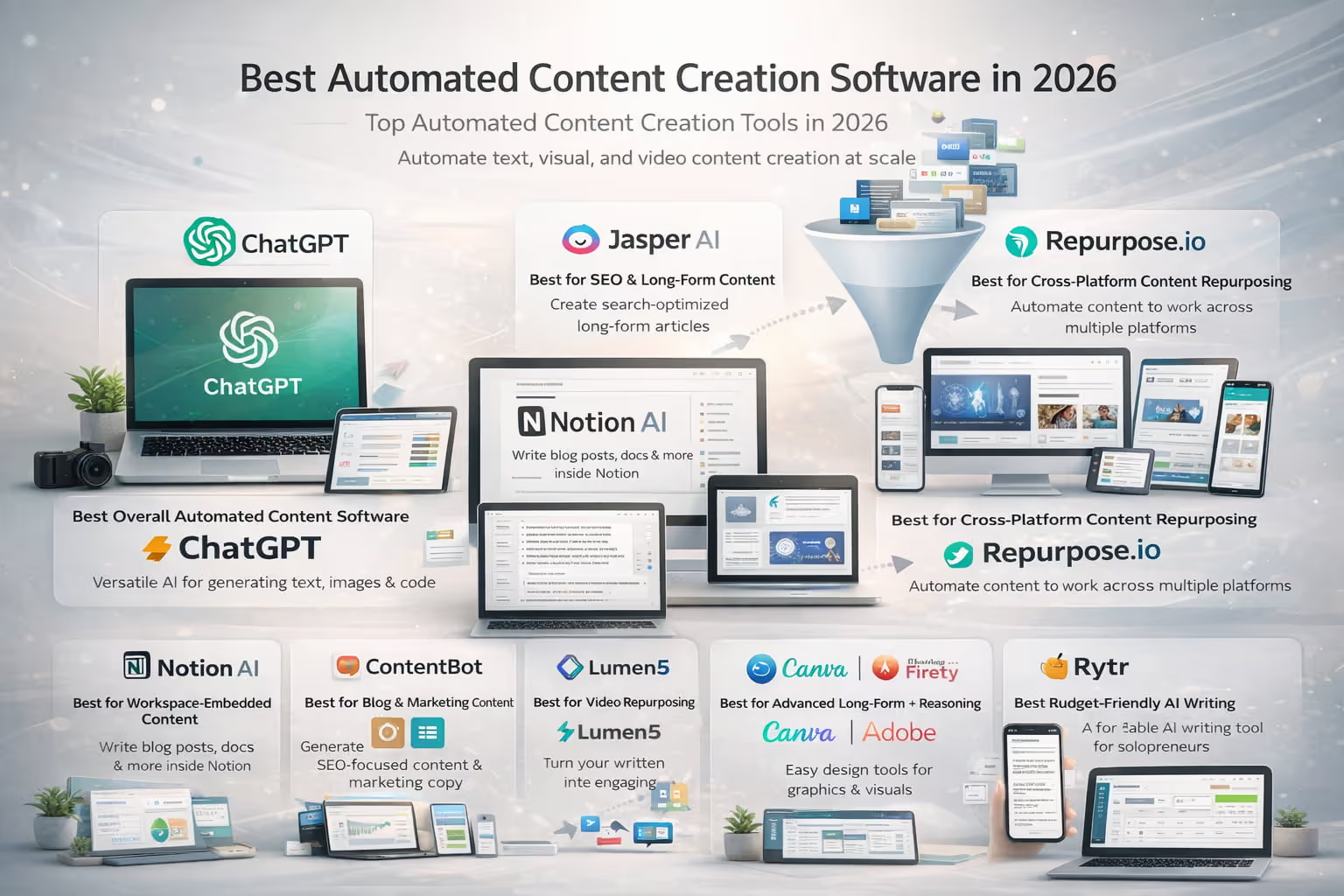
Best Automated Content Creation Software in 2026
Top Automated Content Creation Tools in 2026
The content creation landscape has fundamentally shifted. What once required teams of writers, designers, and video editors can now be orchestrated through sophisticated AI-powered platforms.
In 2026, automated content creation software has matured beyond simple text generation into comprehensive systems that handle everything from ideation to publication across multiple formats and channels.
Best Overall Automated Content Creation Software: ChatGPT
OpenAI's ChatGPT remains the Swiss Army knife of content automation, offering unparalleled versatility across writing styles, formats, and use cases. Its latest iterations combine advanced reasoning with multimodal capabilities, making it the go-to choice for teams needing flexibility.
Best for SEO and Long-Form Content: Jasper AI
Jasper has doubled down on what it does best: creating search-optimized, long-form content that ranks. With built-in SEO recommendations and content scoring, it's the preferred tool for content marketers focused on organic growth.
Best for Workspace-Embedded Content: Notion AI
For teams already living in Notion, the platform's native AI capabilities provide seamless content creation without context switching. It excels at transforming meeting notes into blog posts and documentation into marketing materials.
Best for Blog & Marketing Content: ContentBot
ContentBot specializes in the specific needs of content marketers, offering templates and workflows designed for blog posts, email campaigns, and social media content that converts.
Best for Video Repurposing: Lumen5
Lumen5 transforms written content into engaging videos with minimal effort, perfect for teams looking to maximize the value of their existing content library.
Best for Cross-Platform Repurposing: Repurpose.io
When you need one piece of content to work across a dozen platforms, Repurpose.io automates the reformatting and distribution process, saving hours of manual work.
Best for Advanced Long-Form + Reasoning: Claude / Gemini
Anthropic's Claude and Google's Gemini excel at complex, nuanced content that requires deep reasoning and research synthesis. These tools shine when creating thought leadership pieces and technical documentation.
Best for Visual Automation: Canva / Adobe Firefly
Visual content automation has reached new heights with Canva's Magic Design and Adobe Firefly's generative capabilities, enabling non-designers to create professional visuals at scale.
Best Budget-Friendly AI Writing: Rytr
Rytr delivers solid AI writing capabilities at a fraction of the cost, making it ideal for solopreneurs and small teams testing the waters of content automation.
Best for Integrated Content Automation: Blaze AI
Blaze AI stands out for its end-to-end automation capabilities, connecting content creation with scheduling, publishing, and performance tracking in one unified platform.
What Is Automated Content Creation Software?
Automated content creation software leverages artificial intelligence and machine learning to generate, optimize, and distribute content across various formats and channels.
Unlike traditional content tools that simply assist with formatting or publishing, these platforms actively create original content based on inputs, guidelines, and training data.
How Automated Content Creation Software Works
Modern automated content creation platforms operate through a sophisticated pipeline. They begin by analyzing your input—whether that's a brief, a topic, or existing content—then use large language models and specialized algorithms to generate appropriate content.
The best platforms incorporate brand voice training, SEO optimization, and multi-format output capabilities, allowing a single content brief to spawn blog posts, social media updates, videos, and infographics simultaneously.
Automated Content Creation vs AI Writing Tools
While AI writing tools focus primarily on generating text, automated content creation software encompasses the entire content lifecycle. These platforms handle ideation, creation, optimization, formatting, and often distribution.
They integrate with your existing tech stack, learn from your brand guidelines, and can operate autonomously within defined parameters.
Automated Content Creation vs Content Management Platforms
Content management platforms like WordPress or HubSpot focus on organizing, storing, and publishing content. Automated content creation software generates the content itself.
The most advanced solutions in 2026 blur these lines, offering both creation and management capabilities, though most teams still use them in conjunction with traditional CMS platforms.
Why Use Automated Content Creation Software?
Scaling Content Production Without Scaling Headcount
The economics of content creation have fundamentally changed. Where a team of five writers might produce 50 articles per month, a single content strategist using automated tools can orchestrate the creation of 500+ pieces across multiple formats.
This isn't about replacing human creativity—it's about amplifying human strategic thinking with machine execution.
Improving Speed, Consistency, and Efficiency
Automated content creation eliminates the blank page problem and reduces production time from days to hours. More importantly, it ensures brand consistency across all content, maintaining voice, style, and messaging guidelines even when producing at scale.
Supporting Multi-Channel Content Strategies
Modern marketing requires presence across dozens of channels, each with unique format requirements and audience expectations. Automated tools transform a single content idea into platform-specific variations, ensuring your message reaches audiences wherever they consume content.
Reducing Bottlenecks in Modern Content Teams
Traditional content workflows create bottlenecks at every stage—ideation, writing, editing, design, and approval. Automation streamlines these processes, allowing human team members to focus on strategy, creativity, and quality control rather than repetitive production tasks.
Automated Content Creation for Social Media at Scale (Without Sacrificing Quality)
Automated content creation has become a cornerstone of modern social media and digital marketing strategies. In 2026, leading social media automation tools go far beyond simply scheduling posts—they orchestrate the entire workflow, from ideation to automated publishing, across multiple channels and social media platforms.
How Content Automation Transforms Social Media Management
For social media managers, automation solves one of the biggest challenges in the digital space: producing high quality content consistently without burning out teams or relying on endless manual work.
Modern content automation tools use advanced AI tools to streamline the content creation process, allowing teams to focus on strategy rather than repetitive tasks.
Instead of manually crafting every caption or visual, teams can:
- Generate AI generated content tailored to different audience segments
- Produce AI generated images and visuals at scale
- Adapt messaging for different social media accounts
- Maintain quality content standards without sacrificing quality
This balance between automation and human creativity ensures outputs remain original, on-brand, and engaging.
From One Idea to Dozens of Social Media Posts
One of the biggest advantages of automated content generation is the ability to transform a single idea into dozens of social media posts optimized for different formats and social media platforms. The same core message can be adapted for:
- Short-form captions
- Visual-first posts
- Long-form threads
- Promotional content for landing pages
This approach helps brands create compelling content that resonates with different target audience groups while avoiding duplicate content issues that can hurt search engine rankings and platform reach.
Streamlining Content Production Across Marketing Campaigns
Automation plays a critical role in scaling marketing campaigns without overwhelming teams. By using publishing tools and automated publishing workflows, brands can:
- Schedule posts weeks in advance
- Automatically post across multiple platforms
- Coordinate multiple campaigns simultaneously
- Align content with broader content marketing efforts and marketing efforts
This allows teams to streamline content creation and streamline content production, increasing overall content output while maintaining consistency and relevance.
Improving Content Quality With AI-Driven Insights
Modern automation platforms don’t just publish content—they provide valuable insights into what works. Performance data helps teams refine content promotion, adjust messaging for different audience segments, and improve future content automation tools outputs.
When combined with human oversight, these insights help teams produce more relevant content, more engaging content, and stronger product descriptions across channels.
Automation as a Creative Multiplier, Not a Replacement
The most successful teams use automation to enhance—not replace—the creative process. AI handles execution at scale, while humans guide:
- Brand voice
- Strategic messaging
- Campaign direction
- Final editorial decisions
This hybrid approach enables teams to build a comprehensive content strategy that supports long-term social media efforts, drives measurable results in digital marketing, and fuels sustainable growth across the entire content ecosystem.
In 2026, automated content creation isn’t about cutting corners—it’s about using AI intelligently to produce compelling content, reach the right audience segments, and operate efficiently in an increasingly competitive digital space.
How We Evaluated Automated Content Creation Software
Content Quality and Brand Voice Control
We prioritized platforms that consistently produce high-quality, on-brand content. This includes evaluating grammar accuracy, coherence, factual reliability, and the ability to maintain consistent brand voice across different content types.
Workflow, Collaboration, and Approval Features
The best tools integrate seamlessly into existing workflows, offering collaboration features, approval chains, and version control that enterprise teams require.
SEO and AEO Readiness
With search engines increasingly powered by AI, we evaluated each platform's ability to create content optimized for both traditional SEO and Answer Engine Optimization (AEO), ensuring visibility across search, voice, and AI-powered discovery channels.
Multi-Format and Repurposing Capabilities
Top platforms don't just create text—they generate videos, infographics, podcasts scripts, and social media content from a single source, maximizing content ROI.
Integrations, Publishing, and Automation
We assessed how well each tool connects with popular marketing platforms, CMS systems, and scheduling tools, enabling true end-to-end automation.
Security, Compliance, and Data Handling
Enterprise-grade security, GDPR compliance, and transparent data handling policies are non-negotiable for serious content operations.
Pricing Transparency and Scalability
We favored platforms with clear pricing tiers that scale predictably with usage, avoiding hidden fees and usage surprises.
The Best Automated Content Creation Software (2026)
ChatGPT: Best All-Around Content Automation Platform
Overview
ChatGPT has evolved far beyond its conversational roots to become a comprehensive content creation powerhouse. With custom GPTs, advanced reasoning capabilities, and integration options through its API, it serves as the foundation for countless content automation workflows.
Key Features
- Advanced reasoning and research capabilities for complex content
- Custom GPTs for specialized content types and brand voices
- Multimodal support for text, image, and code generation
- API access for custom integrations and automation
- Team collaboration features in enterprise plans
- Built-in fact-checking and citation capabilities
Pros and Cons
Pros:
- Unmatched versatility across content types
- Constantly improving capabilities through regular updates
- Strong developer ecosystem and integration options
- Excellent at maintaining context in long-form content
Cons:
- Requires prompt engineering expertise for best results
- No built-in SEO optimization tools
- Limited native publishing and workflow features
- Can be expensive at scale without optimization
Best For
Teams that need maximum flexibility and are willing to invest time in customization and prompt optimization. Ideal for organizations with technical resources to build custom integrations.
Pricing Snapshot
- Free tier: Basic access with usage limits
- Plus: $20/user/month
- Team: $30/user/month
- Enterprise: Custom pricing based on usage and features
Jasper AI: Best for SEO and Long-Form Content
Overview
Jasper has positioned itself as the content marketer's best friend, combining AI writing with built-in SEO optimization and content performance predictions. Its Surfer SEO integration and content scoring system make it indispensable for organic growth strategies.
Key Features
- Native SEO optimization with real-time content scoring
- 50+ content templates for specific marketing needs
- Brand voice training and consistency tools
- Plagiarism checker and fact verification
- Boss Mode for long-form content creation
- Campaign management and content calendar features
Pros and Cons
Pros:
- Excellent SEO integration and optimization
- Purpose-built for marketing content
- Strong template library for quick starts
- Good team collaboration features
Cons:
- Less versatile than general-purpose AI tools
- Premium pricing for full feature access
- Limited video and visual content capabilities
- Occasional repetition in longer pieces
Best For
Content marketing teams focused on organic search traffic and needing to produce high-volumes of SEO-optimized blog posts, articles, and web copy.
Pricing Snapshot
- Creator: $49/month (1 user, 50k words)
- Pro: $69/month (5 users, unlimited words)
- Business: Custom pricing for larger teams
Notion AI: Best for Workspace-Embedded Content
Overview
Notion AI transforms the popular workspace platform into a content creation hub, allowing teams to generate content directly within their knowledge base, project management system, and collaborative workspace.
Key Features
- Seamless integration with Notion workspace
- Content generation from existing notes and documents
- Automatic summarization and key point extraction
- Translation capabilities for global teams
- Meeting notes to content transformation
- Database-powered content automation
Pros and Cons
Pros:
- Zero context switching for Notion users
- Excellent for internal documentation and knowledge management
- Strong collaboration and version control
- Affordable add-on to existing Notion plans
Cons:
- Limited functionality outside Notion ecosystem
- No specialized SEO or marketing features
- Basic compared to dedicated content platforms
- Requires Notion subscription for full value
Best For
Teams already using Notion for project management and collaboration who want to add content creation capabilities without adopting new tools.
Pricing Snapshot
- Notion AI add-on: $10/user/month (on top of Notion plan)
- Included in Notion's Plus, Business, and Enterprise plans
ContentBot: Best for Blog & Marketing Content
Overview
ContentBot focuses specifically on the needs of bloggers and content marketers, offering automated workflows for ideation, creation, and optimization of marketing content.
Key Features
- Automated blog post generation with customizable length
- Content brief creation and topic research
- Paraphrasing and content improvement tools
- Bulk content generation capabilities
- WordPress integration for direct publishing
- AI-powered content ideas and title generation
Pros and Cons
Pros:
- Specialized for blog and marketing content
- Good bulk generation features
- Affordable pricing for individuals
- Strong WordPress integration
Cons:
- Limited to text content
- Fewer enterprise features
- Basic collaboration capabilities
- Less sophisticated than leading competitors
Best For
Bloggers, affiliate marketers, and small content teams needing affordable, specialized tools for blog content creation.
Pricing Snapshot
- Prepaid: $1 per 1000 words
- Starter: $19/month
- Premium: $59/month
- Premium+: $99/month
Lumen5: Best for Video Repurposing
Overview
Lumen5 specializes in transforming written content into engaging videos, using AI to match text with relevant visuals, music, and animations.
Key Features
- Blog-to-video conversion in minutes
- AI-powered scene creation and timing
- Extensive media library with millions of assets
- Custom branding and style options
- Multiple aspect ratios for different platforms
- Talking head video capabilities
Pros and Cons
Pros:
- Excellent text-to-video conversion
- Large library of stock footage and images
- User-friendly interface
- Good selection of templates
Cons:
- Limited creative control compared to traditional video editing
- Can feel templated without customization
- Higher tiers needed for brand removal
- Export limitations on lower plans
Best For
Content teams looking to repurpose written content into video format for social media and video platforms without video editing expertise.
Pricing Snapshot
- Community: Free (with watermark)
- Basic: $29/month
- Starter: $79/month
- Professional: $199/month
- Enterprise: Custom pricing
Repurpose.io: Best for Cross-Platform Repurposing
Overview
Repurpose.io automates the distribution and reformatting of content across multiple platforms, turning one piece of content into dozens of platform-optimized variations.
Key Features
- Automatic content reformatting for 20+ platforms
- Audio and video content repurposing
- Scheduling and publishing automation
- Platform-specific optimization
- Bulk processing capabilities
- Custom workflow creation
Pros and Cons
Pros:
- Massive time savings on content distribution
- Supports wide range of platforms
- Set-and-forget automation
- Good for podcast distribution
Cons:
- Focused on distribution, not creation
- Can be complex to set up initially
- Limited editing capabilities
- Requires content creation elsewhere
Best For
Content creators and marketers who produce content in one format but need to distribute across multiple platforms and formats.
Pricing Snapshot
- Free: Limited features
- Starter: $25/month
- Pro: $75/month
- Agency: $150/month
Claude / Gemini: Best for Advanced Long-Form + Reasoning Content
Overview
Claude (Anthropic) and Gemini (Google) represent the cutting edge of AI reasoning capabilities, excelling at complex, nuanced content that requires deep analysis and sophisticated argumentation.
Key Features
- Advanced reasoning and analytical capabilities
- Large context windows for complex documents
- Superior performance on technical and academic content
- Multi-document synthesis abilities
- Strong fact-checking and citation support
- Code generation and technical documentation
Pros and Cons
Pros:
- Best-in-class for complex, thoughtful content
- Excellent at maintaining consistency in long documents
- Strong reasoning and analytical capabilities
- Good at avoiding hallucinations
Cons:
- Less marketing-specific features
- Requires more sophisticated prompting
- Limited native workflow features
- Higher cost for API usage at scale
Best For
Organizations creating thought leadership content, technical documentation, research papers, and complex analytical pieces requiring sophisticated reasoning.
Pricing Snapshot
Claude:
- Claude Pro: $20/month
- API: Usage-based pricing
- Enterprise: Custom pricing
Gemini:
- Gemini Advanced: $19.99/month
- API: Usage-based pricing
- Enterprise: Custom pricing
Canva / Adobe Firefly: Best for Visual Automation
Overview
Canva's Magic Design and Adobe Firefly bring AI-powered visual content creation to the masses, enabling rapid production of graphics, presentations, and visual content without design expertise.
Key Features
- AI-powered design generation from text prompts
- Automatic background removal and image editing
- Brand kit integration for consistency
- Bulk design creation capabilities
- Animation and video features
- Extensive template libraries
Pros and Cons
Pros:
- Intuitive interface for non-designers
- Vast template and asset libraries
- Strong brand consistency tools
- Good collaboration features
Cons:
- Less sophisticated than professional design tools
- Can produce generic-looking results
- Limited customization for complex designs
- Subscription required for premium features
Best For
Marketing teams needing to produce high volumes of visual content without dedicated design resources.
Pricing Snapshot
Canva:
- Free: Basic features
- Pro: $14.99/month
- Teams: $29.99/month for 5 users
- Enterprise: Custom pricing
Adobe Firefly:
- Included with Creative Cloud subscriptions
- Standalone: $4.99/month
Rytr: Best Budget-Friendly AI Writing Tool
Overview
Rytr delivers essential AI writing capabilities at an accessible price point, making it ideal for individuals and small teams with limited budgets.
Key Features
- 40+ content templates and use cases
- Multiple language support
- Chrome extension for writing anywhere
- Plagiarism checker
- SEO analyzer
- Custom tone and style options
Pros and Cons
Pros:
- Very affordable pricing
- Good selection of templates
- Clean, simple interface
- Decent quality for the price
Cons:
- Limited advanced features
- Lower output quality than premium tools
- Basic collaboration features
- Usage limits even on paid plans
Best For
Freelancers, solopreneurs, and small businesses needing basic AI writing assistance without breaking the budget.
Pricing Snapshot
- Free: 10k characters/month
- Saver: $9/month (100k characters)
- Unlimited: $29/month (unlimited)
Blaze AI: Best for Integrated Content Automation Across Channels
Overview
Blaze AI provides end-to-end content automation, from creation through distribution and analytics, all within a single platform designed for modern content operations.
Key Features
- Unified content creation and distribution platform
- Multi-channel campaign management
- Automated A/B testing and optimization
- Performance analytics and reporting
- Team collaboration and approval workflows
- API integrations with major marketing platforms
Pros and Cons
Pros:
- True end-to-end automation
- Strong analytics and optimization features
- Good team collaboration tools
- Comprehensive platform approach
Cons:
- Steeper learning curve
- Higher price point
- May be overkill for simple needs
- Newer platform with evolving features
Best For
Mid to large-sized marketing teams looking for a comprehensive content automation platform that handles the entire content lifecycle.
Pricing Snapshot
- Starter: $49/month
- Growth: $149/month
- Scale: $349/month
- Enterprise: Custom pricing
Comparison Table: Automated Content Creation Software at a Glance
Key Feature Comparison
Platform
Text Generation
SEO Tools
Visual Content
Video Creation
Workflow Management
API Access
Starting Price
ChatGPT
⭐⭐⭐⭐⭐
⭐⭐
⭐⭐⭐
⭐
⭐⭐
⭐⭐⭐⭐⭐
Free/$20
Jasper AI
⭐⭐⭐⭐
⭐⭐⭐⭐⭐
⭐
⭐
⭐⭐⭐
⭐⭐⭐
$49
Notion AI
⭐⭐⭐
⭐
⭐
-
⭐⭐⭐⭐
⭐⭐
$10
ContentBot
⭐⭐⭐
⭐⭐⭐
⭐
-
⭐⭐
⭐⭐
$19
Lumen5
⭐⭐
⭐
⭐⭐⭐
⭐⭐⭐⭐⭐
⭐⭐
⭐
Free/$29
-
-
-
⭐⭐⭐
⭐⭐⭐⭐
⭐⭐
Free/$25
Claude/Gemini
⭐⭐⭐⭐⭐
⭐⭐
⭐⭐
⭐
⭐⭐
⭐⭐⭐⭐
$20
Canva/Firefly
⭐
-
⭐⭐⭐⭐⭐
⭐⭐⭐
⭐⭐
⭐
Free/$15
Rytr
⭐⭐⭐
⭐⭐
-
-
⭐
⭐
Free/$9
Blaze AI
⭐⭐⭐⭐
⭐⭐⭐
⭐⭐
⭐⭐
⭐⭐⭐⭐⭐
⭐⭐⭐
$49
Pricing and Plan Differences
Most platforms offer tiered pricing based on usage, features, and team size. Entry-level plans typically range from free to $50/month, suitable for individuals and small teams.
Mid-tier plans ($50-200/month) unlock advanced features, higher usage limits, and team collaboration. Enterprise plans offer custom pricing, dedicated support, and advanced security features.
Strengths and Limitations Summary
Each platform excels in specific areas: ChatGPT and Claude for versatility and reasoning, Jasper for SEO-focused content, Lumen5 for video creation, and Canva for visual content. The key is matching platform strengths to your primary content needs rather than seeking one tool that does everything.
Recommended Automated Content Creation Tool Stacks
Stack for SEO-Focused Content Teams
Primary: Jasper AI for content creation Supporting: Surfer SEO for optimization, Grammarly for editing Distribution: WordPress with Yoast SEO Analytics: Google Search Console, Ahrefs
This stack prioritizes search visibility and organic traffic growth through optimized, high-quality content production.
Stack for Social-First Brands
Primary: Canva for visual content Supporting: ChatGPT for copy, Lumen5 for video Distribution: Repurpose.io for cross-platform posting Analytics: Sprout Social or Hootsuite
Designed for brands prioritizing social media engagement with visually compelling, platform-optimized content.
Stack for Video-Heavy Content Strategies
Primary: Lumen5 for video creation Supporting: ChatGPT for scripts, Canva for thumbnails Distribution: YouTube, TikTok, Instagram Reels Analytics: YouTube Analytics, VidIQ
Optimized for video-first content strategies across multiple video platforms.
Stack for Agencies and Multi-Client Teams
Primary: Blaze AI for workflow management Supporting: ChatGPT API for custom integrations Distribution: Custom API integrations Analytics: Custom dashboards, client reporting tools
Built for agencies managing multiple clients with different content needs and brand requirements.
Stack for Enterprise Content Operations
Primary: Custom ChatGPT or Claude implementation Supporting: Jasper for marketing teams, Notion AI for documentation Distribution: Enterprise CMS integration Analytics: Adobe Analytics, custom BI tools
Enterprise-grade stack with security, compliance, and scalability as primary considerations.
Best Practices for Using Automated Content Creation Software
Start With Clear Inputs and Content Briefs
The quality of automated content directly correlates with the quality of inputs. Develop comprehensive content briefs that include target audience, key messages, desired tone, SEO keywords, and success metrics. The more context you provide, the better the output.
Use Templates and Repeatable Frameworks
Create templates for common content types—blog posts, social updates, email campaigns—that include your brand voice, structure preferences, and quality standards. This ensures consistency while reducing the time needed for each piece.
Maintain Human Review and Editorial Oversight
Automation accelerates creation but doesn't eliminate the need for human judgment. Establish clear review processes where humans verify accuracy, ensure brand alignment, and add the creative touches that differentiate great content from good content.
Optimize Automated Content for SEO and AEO
Configure your automated tools to incorporate SEO best practices by default—proper heading structure, keyword density, meta descriptions, and internal linking. Additionally, structure content for Answer Engine Optimization to capture featured snippets and voice search queries.
Continuously Test, Measure, and Improve Outputs
Track the performance of automated content against manually created content. Use these insights to refine prompts, adjust templates, and optimize your automation workflows. Regular A/B testing helps identify what resonates with your audience.
Choose Software That Fits Your Content Workflow
Match Tools to Your Biggest Bottlenecks
Identify where your content process slows down—is it ideation, writing, editing, or distribution? Select tools that specifically address these pain points rather than adopting comprehensive platforms with features you won't use.
Think in Systems, Not Single Tools
The most effective content operations use multiple specialized tools working together rather than relying on one platform for everything. Build a stack where each tool excels at its specific function, connected through integrations or APIs.
Build a Scalable, Quality-First Content Operation
Start with quality standards and scale from there. It's easier to increase volume once you've established quality benchmarks than to improve quality after scaling. Set up processes that maintain standards regardless of production volume.
Frequently Asked Questions About Automated Content Creation Software
Is Automated Content Creation Software the Same as an AI Writer?
No, automated content creation software encompasses more than just AI writing. While AI writers focus on generating text, automated content creation platforms handle the entire content lifecycle—from ideation and creation to optimization, distribution, and performance tracking.
They often include AI writing as a core component but add workflow management, collaboration tools, and multi-format capabilities.
Can Automated Content Rank in Search Engines?
Yes, automated content can rank well in search engines when properly optimized and reviewed. Google's guidelines focus on content quality and value to users, not the method of creation.
However, automated content must meet the same standards as human-written content: it should be accurate, comprehensive, original, and provide genuine value to readers. Many successful websites use automated content for certain types of pages while maintaining strong search rankings.
How Much Human Editing Is Required?
The amount of human editing varies based on content type and quality requirements. Simple, factual content might need only light review for accuracy. Complex thought leadership pieces require more substantial editing to add nuance, creativity, and strategic insights.
On average, expect to spend 15-30% of the time you would have spent writing from scratch on editing and refining automated content.
How Do I Keep Automated Content On-Brand?
Maintaining brand consistency requires three key elements: comprehensive brand guidelines programmed into your tools, consistent templates and frameworks, and regular human review.
Most platforms allow you to train the AI on your brand voice using existing content. Additionally, creating detailed style guides, approved vocabulary lists, and example content helps ensure outputs align with your brand identity.
What Does Automated Content Creation Software Cost in 2026?
Pricing varies widely based on features and usage. Basic tools start at free or under $10/month for individuals. Professional platforms range from $50-200/month for small teams.
Enterprise solutions with advanced features, API access, and custom integrations typically start at $500/month and can exceed $10,000/month for large organizations. Consider both subscription costs and the time savings when evaluating ROI—a $200/month tool that saves 40 hours of work monthly delivers exceptional value.