
How To Create Video Content For YouTube | Blaze.ai

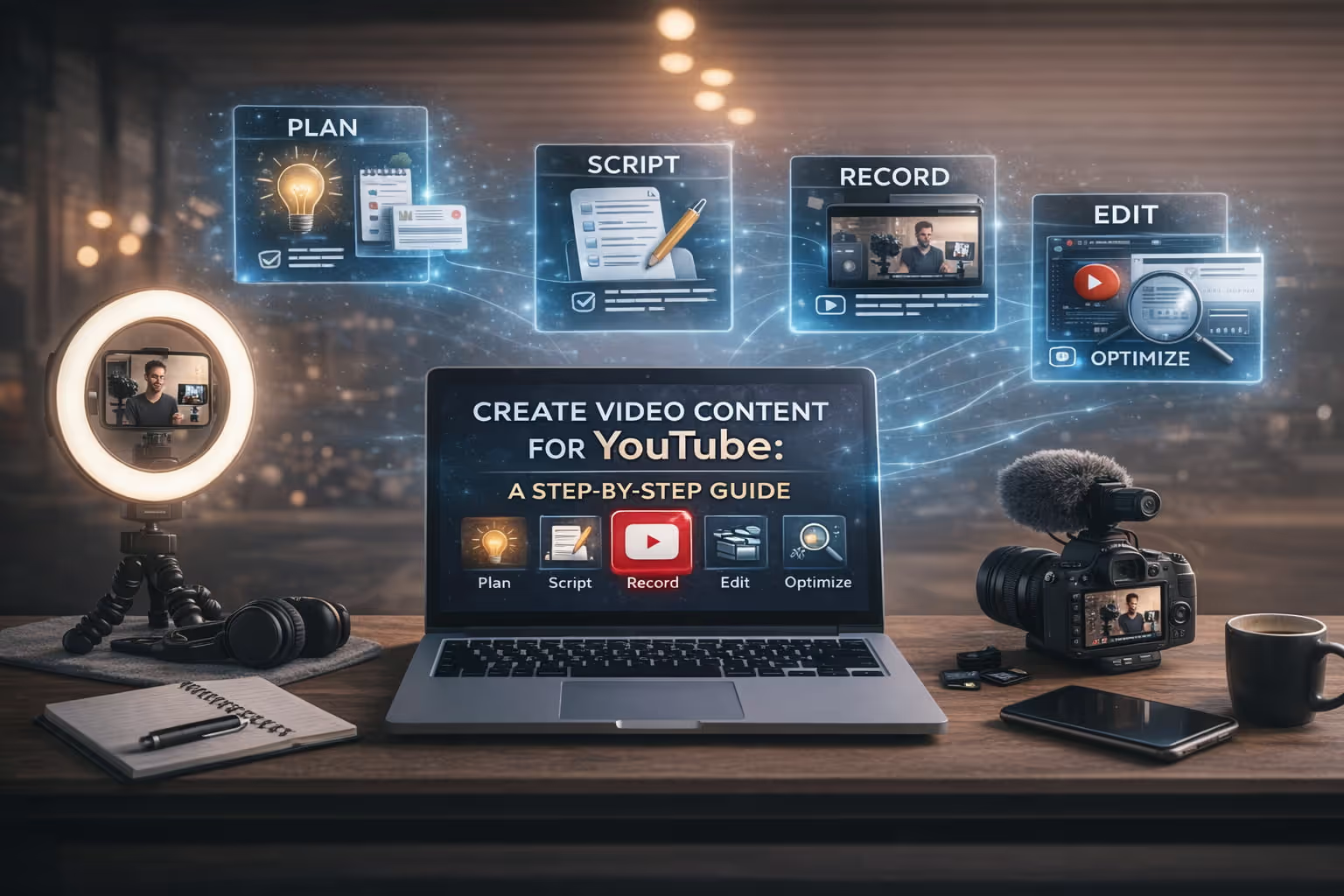
Create Video Content for YouTube: A Step-by-Step Guide
YouTube has grown into one of the most powerful content platforms in the world, with over 2.5 billion logged-in users visiting the site every month.
For businesses and creators alike, it represents an enormous opportunity to build an audience, establish authority, and drive meaningful results without a Hollywood budget or a full production crew.
The barrier to entry is lower than ever. A smartphone, decent lighting, and a clear message are often all you need to get started. What separates channels that grow from channels that stall isn't expensive gear it's strategy, consistency, and the ability to produce content efficiently.
This guide walks you through exactly how to do that. You'll learn how to plan your videos, record and edit them effectively, optimize them for YouTube search, and use AI tools like Blaze.ai to cut production time without sacrificing quality.
Why YouTube Video Content Matters
YouTube is the second-largest search engine in the world, behind only Google which also happens to own it. That means videos published on YouTube don't just live on YouTube; they surface in Google search results, appear in featured snippets, and drive organic traffic in ways that blog posts alone often can't.
For businesses, the case is equally strong. YouTube allows brands to explain complex products, showcase expertise, build trust with potential customers, and nurture leads over time.
A well-placed how-to video can answer the exact question a buyer has at a critical moment in their decision-making process. That kind of content compounds in value long after it's published.
For individual creators, YouTube remains one of the few platforms where content has a long shelf life. Unlike social media posts that disappear from feeds within hours, YouTube videos continue to be discovered through search for months and even years.
Building a YouTube presence is an investment in a durable, searchable content library.
Step 1: Plan Your YouTube Video Content
Good YouTube videos don't start with a camera they start with a plan. The clearest signal of an unprepared creator is a video that feels scattered, padded, or unsure of who it's talking to. Planning eliminates all of that before you ever hit record.
Identify Your Audience
Before choosing a topic, get specific about who you're making the video for. Ask yourself: Who is this person? What do they already know? What are they trying to accomplish, and what's standing in their way?
The more precisely you can answer those questions, the easier every subsequent decision becomes from the language you use, to the examples you include, to the length you target. A video made for a complete beginner looks very different from one made for someone who's already tried a few solutions and hit a wall.
A useful exercise is to write a one-sentence description of your viewer before you write anything else: "This video is for a small business owner who wants to start posting on YouTube but doesn't know where to begin." That single sentence will shape your entire video.
Choose the Right Video Topic
Topic selection is where a lot of creators go wrong. They either pick topics they find interesting (without confirming there's an audience for them) or they go after massive topics where they have no realistic chance of standing out.
The sweet spot is a topic that sits at the intersection of three things: what your audience is searching for, what you can speak to with genuine depth, and what the competition hasn't fully covered.
Tools like YouTube's autocomplete feature, Google Trends, and keyword research platforms can help you validate demand before you invest time in production.
For newer channels, specificity is your friend. "How to Write a YouTube Script" is a harder hill to climb than "How to Write a YouTube Script for a 10-Minute Tutorial Video." The narrower topic is easier to rank for, easier to deliver well, and often more useful to the viewer who's searching for it.
Write a Simple Video Outline
An outline doesn't have to be complex it just has to exist. At minimum, map out your opening hook, two to five main points you'll cover, and a clear call to action at the end. Think of it as a skeleton that gives your video structure without making it feel rigid.
A basic outline might look like this:
- Hook: Open with the problem or question the video solves
- Point 1: [First main idea]
- Point 2: [Second main idea]
- Point 3: [Third main idea]
- CTA: Tell viewers what to do next (subscribe, watch another video, visit your site)
Having this on paper before you record means you won't ramble, repeat yourself, or realize mid-edit that you forgot to cover something important.
Step 2: Script Your YouTube Video
There's a meaningful difference between outlining and scripting, and knowing which one to use can change how natural you come across on camera.
An outline gives you the structure and lets you speak naturally within it. A full script gives you the exact words useful for complex topics, brand-sensitive content, or creators who feel more confident knowing precisely what they'll say.
Neither approach is universally better; the right choice depends on your comfort level and the nature of the content.
For most creators, a hybrid approach works best: script your opening hook and closing call to action word for word (since these need to land), and use bullet-pointed talking points for the body of the video. This gives you structure without locking you into language that might feel stiff when delivered to a lens.
If you do write a full script, read it aloud as you write it. Video scripts are meant to be spoken, not read, and language that looks fine on a page can sound stilted when said out loud. Short sentences, active verbs, and conversational contractions will make your delivery feel more natural and keep viewers engaged.
Step 3: Record Your YouTube Video
Recording doesn't require a professional studio. Most successful YouTube channels start with modest setups and upgrade gradually as the channel grows. What matters far more than equipment quality is consistency of delivery and the clarity of your audio.
Choose Your Recording Setup
Your setup will depend on your content format. Talking-head videos (where you speak directly to the camera) require a camera or smartphone, a stable mount or tripod, and a background that isn't distracting.
Screen recordings work well for tutorials, walkthroughs, and software demos tools like Loom, OBS, or QuickTime make these easy to capture.
Smartphones are genuinely capable recording devices. If you're shooting with a phone, shoot horizontally (landscape orientation) for standard YouTube videos, or vertically if you're producing Shorts.
Position the camera at eye level or slightly above to create a natural, flattering angle, and leave enough space above your head so the frame doesn't feel cramped.
Improve Lighting and Audio
Lighting and audio quality have more impact on viewer retention than almost any other production variable. A slightly shaky camera is forgivable; muddy audio or a face swallowed by shadows will drive viewers away within the first thirty seconds.
For lighting, natural light from a window is your best free resource position it in front of you (or slightly to the side) rather than behind you, which creates silhouette.
If you record in the evenings or in a windowless space, a basic ring light or a softbox from any electronics retailer will dramatically improve the look of your video for a modest investment.
For audio, put distance between yourself and background noise, and get the microphone as close to you as possible. A $30–50 clip-on lapel mic or USB condenser mic will outperform even an expensive camera's built-in microphone.
Record a short test clip before your full take and listen back with headphones to catch any issues before you're twenty minutes into a recording.
Step 4: Edit Your Video
Editing is where raw footage becomes a watchable video. It's also where a lot of new creators spend far too much time not because editing is hard, but because they're not sure what to prioritize. The goal of editing isn't perfection; it's clarity and pacing.
Good editing improves both the clarity of your message and the retention of your viewer. Viewers will tolerate a slower pace if the content is genuinely valuable, but they'll leave the moment they feel their time is being wasted.
Basic editing tasks to work through in every video include:
- Trimming mistakes and false starts cut anything before you actually begin delivering your content
- Removing long pauses and filler words a comfortable speaking pace is fine; dead air and excessive "ums" should go
- Cutting between takes if you re-recorded a section, cut the first attempt cleanly
- Adding text overlays use on-screen text to reinforce key points, define terms, or highlight statistics
- Including B-roll footage of what you're describing (screen recordings, product shots, stock footage) breaks up the talking-head view and illustrates your points
- Adding an intro and outro even a simple branded title card and end screen with a subscribe button adds a layer of polish
Popular editing tools include DaVinci Resolve (free, professional-grade), CapCut (beginner-friendly, free), Adobe Premiere Pro (industry standard, subscription-based), and iMovie (free for Mac users). Choose whichever tool you'll actually use consistently the best editor is the one you'll open.
Use Video Editing Tools to Create Professional Looking YouTube Videos
Once you finish recording, the next step is turning raw footage into a polished result. Editing is where your YouTube video editor, video editing tools, and overall video editing software make the biggest difference. Even simple adjustments can transform rough clips into professional looking YouTube videos that keep viewers engaged.
When you edit YouTube videos, the goal isn't perfection, it's clarity. Start by removing unnecessary footage, cutting awkward pauses, and organizing your video clips into a logical flow. A good video editor helps you trim sections quickly, adjust pacing, and make sure the final video project feels smooth from beginning to end.
Most creators today rely on modern video editing tools that support drag and drop timelines. This makes it easy to arrange clips, insert transitions, and layer additional video elements such as images, screen recordings, or graphics.
Many platforms even include customizable video templates and video templates that allow creators to build amazing videos or stunning videos without starting from scratch.
Choosing the Right YouTube Video Editor
There are many options available depending on your skill level. A beginner might prefer a free YouTube video editor or an easy YouTube video maker that runs directly in the browser. More experienced creators may use advanced video editing software with powerful editing tools and expanded media library options.
Many tools allow you to create and edit directly from a mobile device, tablet, or desktop device, making it possible to record, capture, and upload content quickly without transferring files between multiple systems. With cloud-based platforms, you can even access your video project from any device and continue editing in real time.
Adding Music, Audio, and Visual Elements
Great editing is not only visual, it’s also about sound. High-quality audio dramatically improves viewer experience on YouTube.
Many video editing tools include libraries of royalty free tracks so you can add music, background music, and subtle sound effects to reinforce the mood of your content. These sound effects can help emphasize key moments, transitions, or on-screen actions, making your videos pop and feel more dynamic.
You can also import stock videos, images, or other assets from your media library to illustrate complex points. When used well, these elements help your YouTube channel produce amazing videos that are easier to understand and more visually engaging.
Speeding Up Video Creation
Modern video editing software is designed to accelerate video creation. Features like automated cuts, template libraries, and smart editing tools allow creators to start editing and produce high-quality content in just a few clicks.
This is especially valuable when you're producing content consistently for your YouTube channel. Instead of spending hours assembling each free YouTube video, a streamlined video maker workflow helps you edit, finalize, and upload faster, without sacrificing quality.
Many platforms also let you download finished projects or share online instantly. This makes it easy to publish directly to YouTube, distribute clips across other platforms, and maintain a consistent publishing cadence.
Avoiding Common Editing Problems
Poor editing can undermine an otherwise great video. The most common issues include leaving low quality audio untouched, using distracting effects, or failing to trim sections that slow the pacing.
A good YouTube video editor helps prevent these problems by giving you all the tools needed to refine your footage. With thoughtful video editing, clean audio, strategic music, and well-placed sound effects, your final video will feel polished and professional even if it was recorded with a simple camera or mobile device.
Over time, improving your editing workflow will help you create better content faster and build a stronger YouTube channel that consistently produces valuable videos for viewers.
Step 5: Optimize Your YouTube Video for Search
Publishing a great video without optimizing it is like opening a great restaurant on a street with no signs. YouTube's algorithm needs signals to understand what your video is about and who to show it to. Optimization provides those signals.
Write an SEO-Friendly Title
Your title serves two audiences simultaneously: the algorithm and the human. It needs to include the keyword or phrase your target viewer is likely to search for, and it needs to make that viewer want to click.
A useful formula is: [Primary Keyword]: [Benefit or Curiosity Hook]. For example, "YouTube SEO: How to Get Your Videos Found in 2025" communicates the topic clearly, includes the search term, and gives viewers a reason to click.
Keep titles under 60 characters so they display fully in search results, and avoid keyword stuffing one strong keyword phrase is enough.
Create a Click-Worthy Thumbnail
On YouTube, the thumbnail is your billboard. It's what draws the eye before a single word of your title is read. Thumbnails that perform well tend to share a few characteristics: high contrast, a clear focal point (usually a face with an expressive reaction), bold text that's legible at small sizes, and a visual that's consistent with your brand.
Use your thumbnail to complement your title, not repeat it. If your title says "How to Record YouTube Videos at Home," your thumbnail might show a clean home recording setup or a person looking confidently into a camera imagery that makes the video feel accessible and achievable.
Write a Strong Video Description
Your video description is prime SEO real estate that most creators underuse. The first two to three sentences are especially important because they appear in search results before the "Show more" cutoff make them count by leading with your primary keyword and a clear statement of what the video covers.
Beyond the opening, a strong description includes a brief chapter breakdown (with timestamps if you've added chapters), links to related resources or your website, and secondary keywords woven naturally into the text.
Aim for at least 150–300 words. This isn't padding it genuinely helps YouTube's algorithm categorize and surface your content.
Don't forget tags. While tags carry less weight than they once did, they're still a useful signal. Use a mix of your exact-match keyword, related phrases, and broader topic tags.
Step 6: Publish and Promote Your Video
Uploading your video to YouTube is the beginning of its life, not the end of your job. Channels that grow consistently treat every video as a piece of content worth actively promoting not just something they post and wait on.
Share your video across every channel where your audience already spends time. That means posting to your social media profiles with a native clip or teaser, linking to it in your email newsletter, embedding it in a relevant blog post, and mentioning it in online communities or forums where the topic is actively discussed.
If you have a team or collaborators, share it with them too early views and engagement signal to YouTube's algorithm that the video is worth distributing.
Repurposing is one of the highest-leverage moves a video creator can make. A single YouTube video can become:
- Short clips for Instagram Reels, TikTok, or LinkedIn
- YouTube Shorts cut from the most engaging moments
- A blog post built from the video's transcript and key points
- Social media posts quoting key insights or statistics from the video
- A newsletter section summarizing the video's main takeaways with a link to watch
Every piece of repurposed content extends the reach of the original video and drives new viewers back to your channel compounding the value of every hour you spent producing it.
How AI Can Help You Create YouTube Videos Faster
Creating consistent YouTube content is a production challenge as much as a creative one. AI tools have changed the equation significantly, compressing timelines that used to take days into tasks that take hours without sacrificing the quality of the output.
AI for Video Idea Generation
One of the most common creative bottlenecks for YouTube creators is the blank page problem: coming up with ideas that are relevant, original, and likely to perform. AI tools can help you break through that block quickly.
By analyzing trending topics, surfacing related questions your audience is asking, and generating title variations around a seed keyword, AI tools help you build a content calendar in minutes rather than hours. Instead of brainstorming from scratch, you're evaluating and refining a much faster creative process.
Blaze.ai is built to support exactly this kind of ideation workflow, generating video topic suggestions and title options that align with your niche, your audience's intent, and current search demand.
AI for Video Outlines and Scripts
Once you have a topic, AI tools can accelerate the move from idea to production-ready content. Rather than staring at a blank document, you can prompt an AI tool to generate a structured outline, a full script, or a set of talking points and then refine from there.
This is particularly valuable for creators who produce at volume or who struggle with the writing portion of the process. Blaze.ai generates structured video scripts designed for on-camera delivery, maintaining the kind of messaging consistency that's hard to achieve when you're writing every piece of content from scratch.
Whether you need a complete word-for-word script or just a set of punchy talking points for each section, it gives you a strong starting point that you can shape with your own voice and expertise.
AI for Repurposing Video Content
Repurposing video content manually is time-consuming transcribing, reformatting, rewriting for different platforms and audiences. AI tools automate most of that work.
With the right tool, a single YouTube video can be transformed into a polished blog post, a series of social media captions, a newsletter summary, and platform-specific clip descriptions in a fraction of the time it would take to do manually.
Blaze.ai is designed for this multi-format workflow, allowing creators and marketing teams to extract maximum value from every piece of video content they produce without multiplying the work required to do it.
AI for YouTube SEO
Optimizing a video for search used to require either a dedicated SEO specialist or a significant investment of time. AI tools now make it accessible to any creator.
AI can generate optimized title options tested against your target keyword, write full video descriptions that include relevant secondary keywords naturally, suggest a comprehensive tag set, and produce chapter summaries that improve both viewer experience and search indexability.
The result is better-optimized videos produced more consistently which compounds over time as your channel builds authority in its niche.
Common Mistakes When Creating YouTube Videos
Even experienced creators fall into patterns that limit their channel's growth. These are the most common and the most avoidable.
Weak video hooks. YouTube's retention data is unforgiving in the first thirty seconds. Viewers who don't immediately understand why this video is worth their time will leave and high drop-off rates signal to the algorithm that the content isn't worth promoting.
Lead with the most compelling version of your premise: the problem you're solving, the insight you're delivering, or the outcome the viewer will get.
Poor audio quality. Viewers will tolerate imperfect visuals far longer than they'll tolerate bad audio. Echo, background noise, low volume, or a tinny microphone signal are among the most common reasons people click away from an otherwise solid video. Invest in audio before you invest in anything else.
Overly long introductions. The gap between when a video starts and when it delivers on its title is where channels bleed viewers. Lengthy intros, "before we get into it" segments, and slow build-ups all create friction. Get to the substance quickly viewers can always watch past the beginning if they like what they're getting.
Inconsistent publishing. YouTube rewards channels that publish regularly. Sporadic posting confuses both the algorithm and your audience. You don't need to publish every day, but you do need a cadence you can sustain whether that's weekly, bi-weekly, or monthly. Consistency builds the expectation of return visits.
Tips for Creating Better YouTube Videos
These best practices won't transform your channel overnight, but applied consistently, they compound into meaningful growth.
Keep videos focused. The temptation to cover everything in a single video almost always produces a video that covers nothing well. Pick one clear topic, make one clear argument, and let that be enough. Longer videos don't perform better simply because they're longer they perform better when every minute earns its place.
Hook viewers early. The first fifteen seconds of your video are your most important real estate. Use them to make a specific promise, create genuine curiosity, or immediately demonstrate value. Avoid long channel intros, slow music beds, or anything that makes the viewer wait for the actual content.
Use visual storytelling. Even talking-head videos benefit from visual variety. B-roll footage, on-screen text, animated callouts, and chapter transitions all keep the eye engaged and reinforce the content you're delivering verbally. A video that tells and shows will always outperform one that only tells.
Publish consistently. Set a schedule that's realistic for your current capacity and hold to it. One video a week is better than three one week and none for the next month. Consistency signals reliability to both YouTube's algorithm and your growing audience and it's the single most effective thing you can do to grow a channel over the long term.
FAQs
How do you create video content for YouTube?
Creating YouTube video content involves six core steps: planning your topic and audience, scripting or outlining your video, recording with whatever setup you have available, editing for clarity and pacing, optimizing your title, thumbnail, and description for search, and then publishing and promoting the video across other channels.
Starting with a clear plan is the most important step it makes every other part of the process faster and more effective.
What equipment do you need to make YouTube videos?
You don't need much to get started. A modern smartphone shoots more than acceptable video quality for a new YouTube channel. Beyond that, a small tripod or phone mount, a basic lapel or USB microphone, and a well-lit space are the only essentials.
As your channel grows, you can invest in a dedicated camera, a ring light or softbox lighting kit, and more capable editing software but none of that is necessary to publish your first video.
Can AI help create YouTube videos?
Yes, meaningfully so. AI tools like Blaze.ai can help with idea generation, outlining, scripting, SEO optimization, and content repurposing covering most of the pre- and post-production workflow that doesn't involve actually sitting in front of a camera.
For creators and businesses looking to publish consistently without expanding their team, AI is one of the most practical tools available for scaling YouTube content production.