
Blaze vs Canva: Which Social Media Tool Is Right for You? (2026)

Updated November 8, 2026. Prices are from each tool's own pricing page on that date.
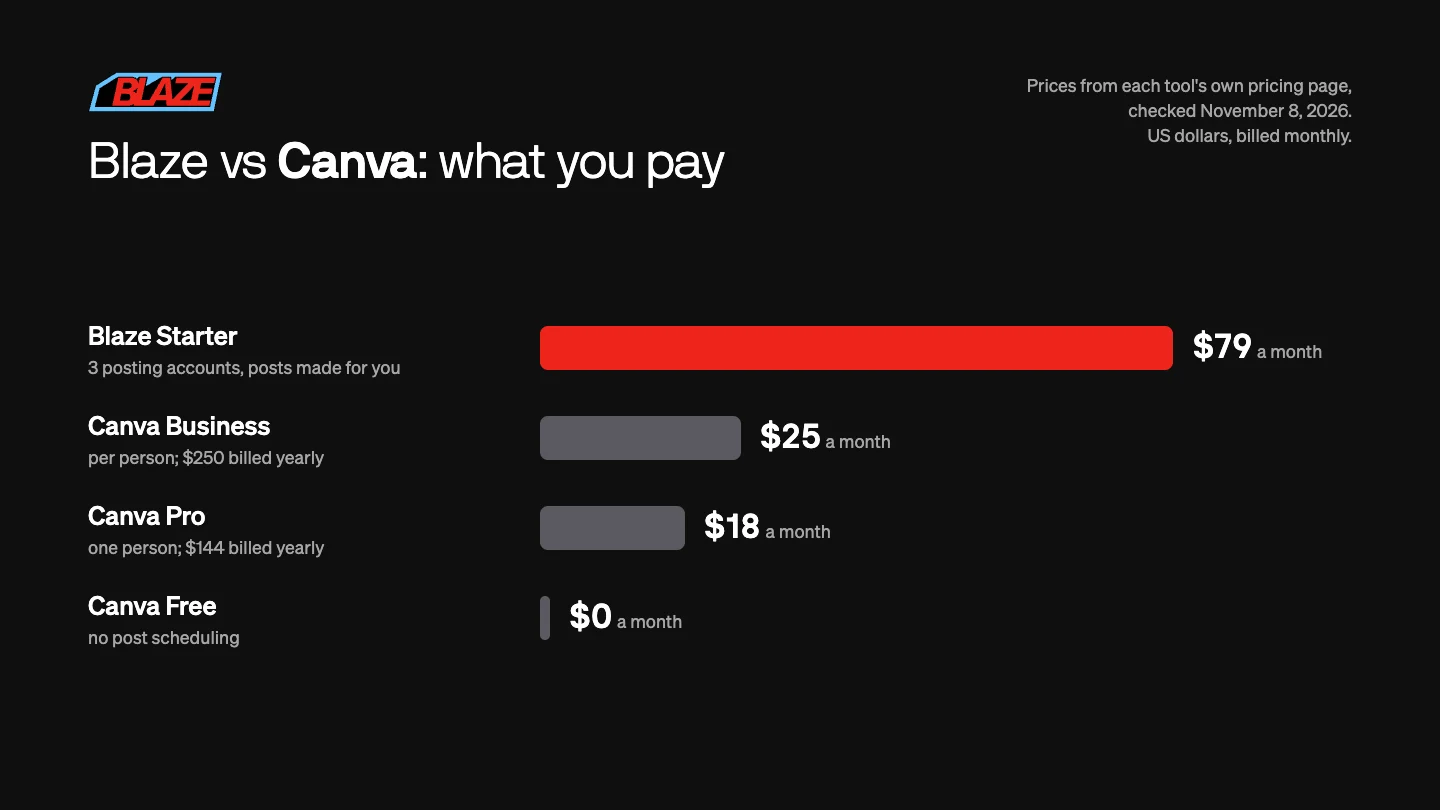
Blaze or Canva? Pick Canva if you like designing posts yourself: Canva Pro is $18 a month ($144 a year) for one person, and its Content Planner schedules finished designs to Facebook, Instagram, X, LinkedIn, Pinterest, Slack and Tumblr. Pick Blaze if you want the posts made for you: it writes and designs posts, carousels and short videos in your brand and schedules them, including to TikTok, YouTube Shorts and Google Business Profile, from $79 a month with a 7-day free trial.
Blaze vs Canva at a glance
| Blaze | Canva | |
|---|---|---|
| Starting price | Starter $79 a month (3 posting accounts, 1 user); Growth $149 a month (10 accounts, unlimited users) | Free; Pro $18 a month for one person ($144 a year); Business $25 a month per person ($250 a year) |
| Free plan or trial | No free plan; 7-day trial, no credit card | Free plan, which cannot schedule posts; free trial of Pro and Business |
| Networks | Instagram, Facebook, LinkedIn, X, TikTok, YouTube Shorts, Google Business Profile | Scheduling to Facebook Pages, Instagram business accounts, X, LinkedIn, Pinterest, Slack, Tumblr |
| AI help | Writes and designs posts, carousels and short videos in your brand | AI design tools (resize, translate, remove backgrounds and more) with a monthly AI allowance; you put each post together |
| Post scheduling | Every plan | Pro, Business, Education and Nonprofits; one network per design |
| Works with Claude and ChatGPT | Yes: Claude, ChatGPT, Codex, Cursor | Yes, Canva's AI connector makes and edits designs in Claude and ChatGPT |
The main difference
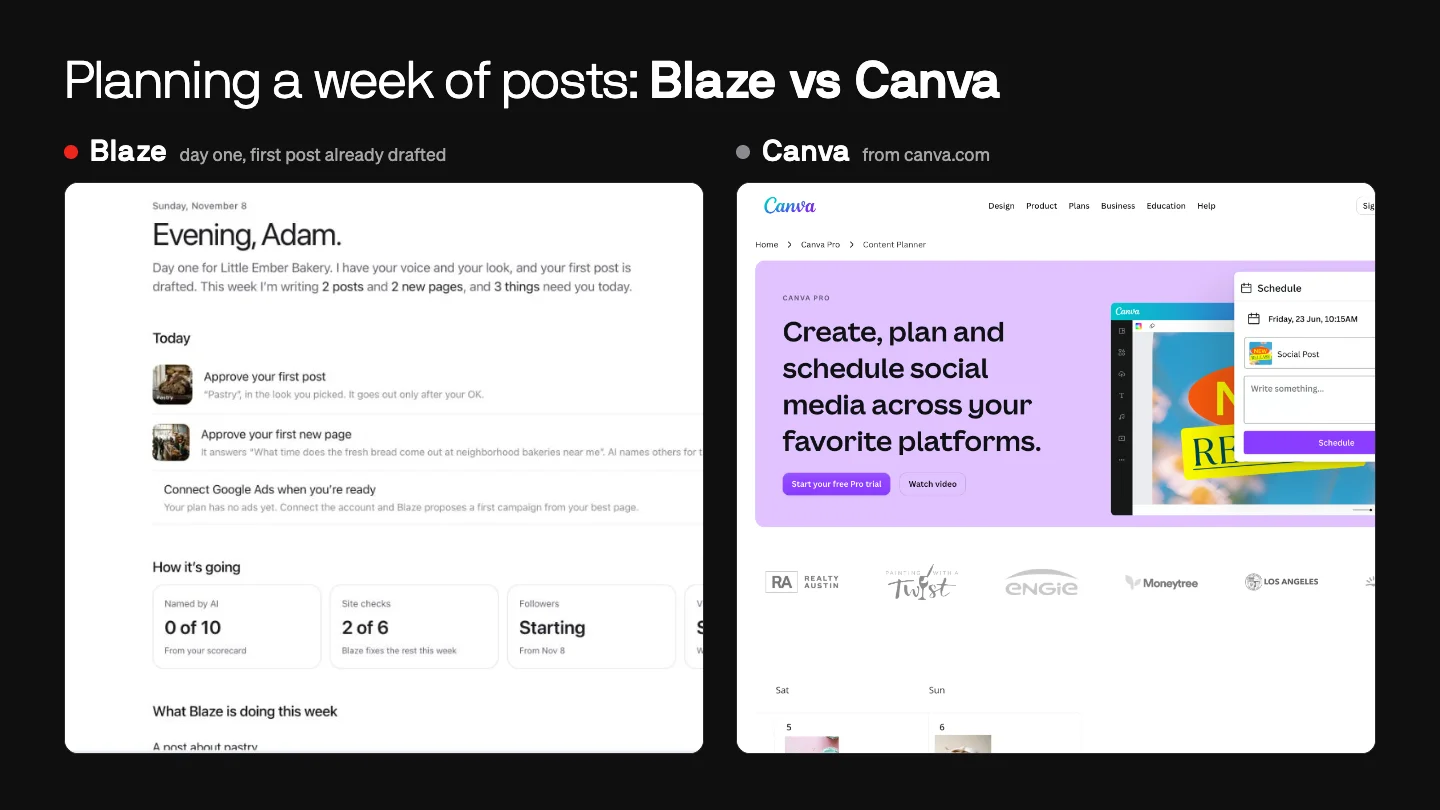
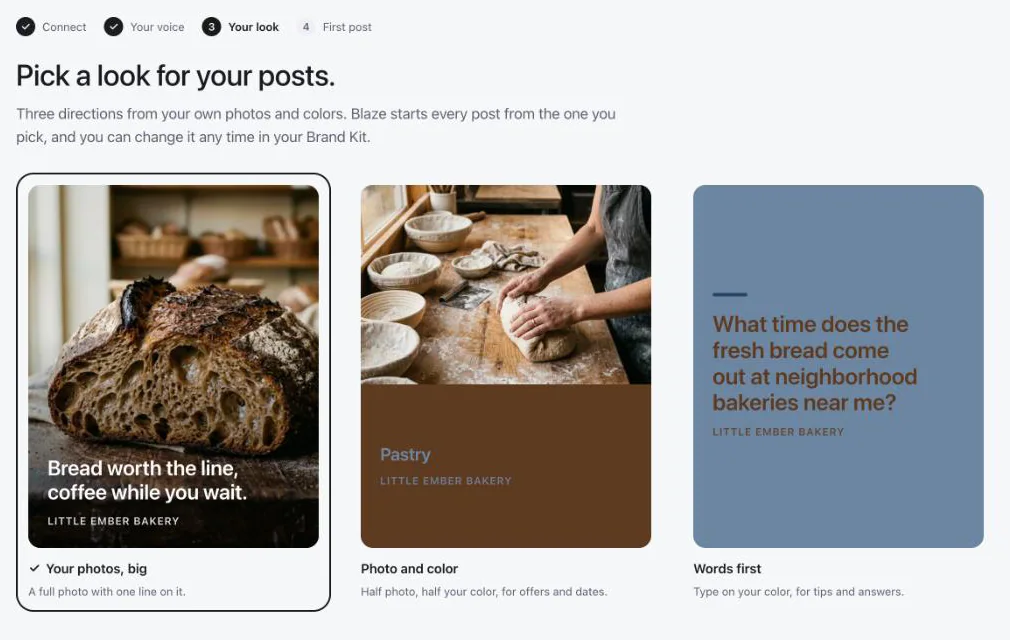
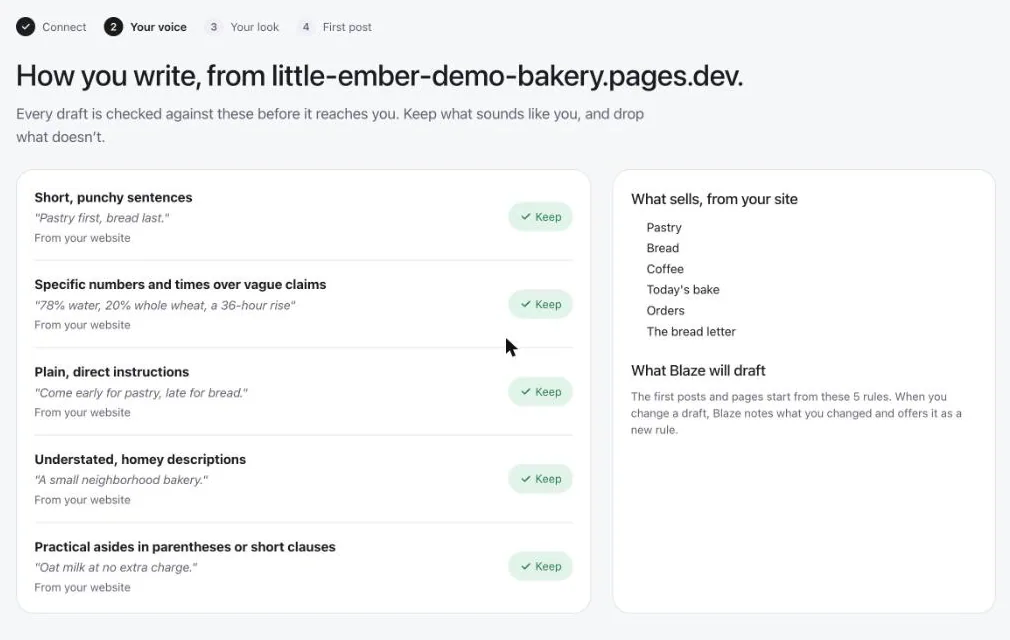
Canva is a design tool. You make each post, with templates and AI tools to help, and the Content Planner sends it out. Blaze makes the posts for you from your website, photos and colors, writes the captions in your voice, and publishes them on a calendar. If you enjoy designing, Canva costs less. If you would rather not design at all, Blaze does it.
When to pick Canva
- You enjoy designing and want full control of every post.
- You also need flyers, menus, slides or print, not only social posts.
- Your budget is tight. Pro is $18 a month, and Canva Free costs nothing (but cannot schedule posts).
- You post to Pinterest or Tumblr. Blaze doesn't.
When to pick Blaze
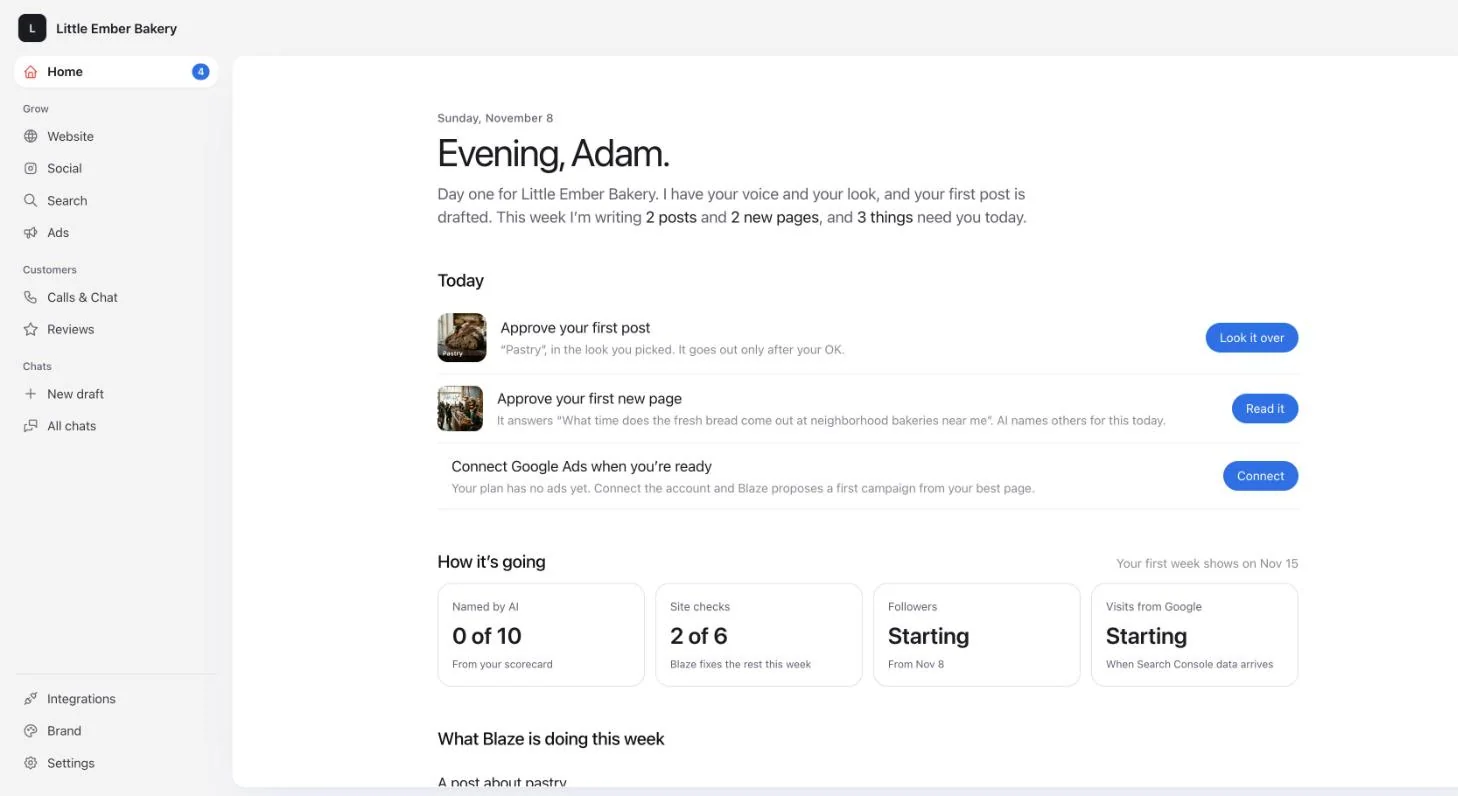
Pick Blaze if you want the posts made as well as scheduled. It writes and designs posts, carousels and short videos in your brand, puts them on one calendar, and publishes them to Instagram, Facebook, LinkedIn, X, TikTok, YouTube Shorts and Google Business Profile. Autopilot can make a week's batch for you to review before anything goes out.
- Price: Starter $79 a month for 3 posting accounts and 600 credits; Growth $149 a month for 10 accounts, 1,500 credits, unlimited users and approvals. A post costs 1 credit.
- Trial: 7 days, no credit card. There is no free plan.
- From an AI assistant: the Blaze MCP server lets Claude, ChatGPT, Codex and Cursor make and schedule posts in Blaze, saved as drafts first.
- Limits: no Pinterest, Threads or Bluesky posting, TikTok is video only, and YouTube is Shorts only.
What each costs
Canva Pro: $18 a month ($144 a year) for one person, and you make the posts. Blaze Starter: $79 a month for 3 posting accounts, with the posts made for you. For a team of 3: Canva Business is $75 a month ($750 a year); Blaze Growth is $149 a month for 10 accounts and unlimited users.
Questions people ask
Is Blaze cheaper than Canva?
No. Canva Pro is $18 a month and Canva Free costs nothing. Blaze is $79 a month, but it writes, designs and schedules the posts for you.
Can Canva schedule posts to TikTok?
Canva's help center lists Facebook Pages, Instagram business accounts, X, LinkedIn, Pinterest, Slack and Tumblr for scheduling (checked November 8, 2026). TikTok, YouTube and Google Business Profile are not on that list. Blaze posts to all three.
Do Blaze and Canva work with Claude and ChatGPT?
Yes. Canva's AI connector lets Claude and ChatGPT make and edit Canva designs. Blaze's MCP server lets them make and schedule posts in Blaze, saved as drafts first.
For more tools side by side, see the 9 social media schedulers compared on price, or how Blaze schedules your posts.